








1300 021 680

Introduction
Smart Invoice Automation Powered by Microsoft 365.Our technology, which is completely linked into the Microsoft 365 ecosystem, automates your AP invoicing workflow in a secure and adaptable manner.
Benefits
How Can Smart Invoice Automation Benefit Your Company?
Create highly adaptive accounting systems that reduce implementation times and total costs using your existing Office 365 setup using SharePoint and Power Automats.
Simply record your invoices through several channels, such as mobile devices, email, enquiries, provider portals, etc. The most important details are automatically extracted with OCR and smart templates with real-time ERP connections.
Enjoy seamless integration of SharePoint, Power Automats, Power Apps and Azure AI for document processing supported by Microsoft’s trusted security infrastructure.
ERP integration
Integration with Smart Invoice Automation Process in a Smooth Way
Easy Invoice Automation Process by SharePoint Scope, which is integrated directly into Microsoft Office 365, offers real-time connectivity to a variety of financial and ERP systems. We collaborate with numerous top ERP providers in the market, facilitating real-time data interchange for accounts payable procedures. Easy Invoice Automation Process eliminates the need for redundant data management by securely accessing critical ERP data, such as vendor information, general ledger accounts, and invoice details, through direct application program interface (API) connections. By removing synchronization problems and lowering maintenance, our live query approach guarantees that your ERP will always be the only source of truth. Every integration uses approved APIs for optimal compatibility and security, adhering to best practices as specified by the relevant ERP software provider. Easy invoice automation process initiates the payable transaction within your ERP system as soon as an invoice is processed or a PO match is finished. This contains a link to the Smart Invoice Automation Process record as well as the required financial data.
Features
What Advantages Do Businesses Stand to Gain from Using Invoice Automation Tools?
The solution is directly synchronized with the ERP system. As soon as an invoice is approved, the transaction is generated immediately, whether it is PO-based or non-PO-based.
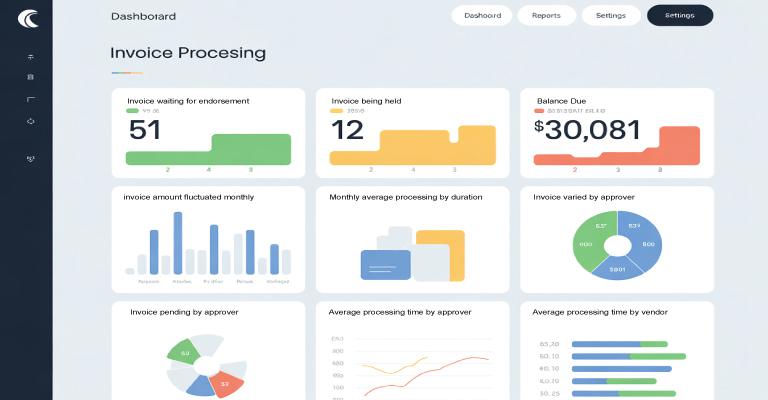
Use Microsoft 365 tools such as Power Automats for workflows, SharePoint for OCR functionality, Power BI for knowledge, and Power App for mobile access.
Reduce manual entry with automatic templates. Set up unlimited allocation rules tailored to your provider, department, project for PO and non-PO invoices.
Digitalize and optimize workflows such as internal review suggestions and new providers to improve efficiency and suitability.
Use optical character recognition (OCR) to automatically extract important billing data. This allows for processing, simple routing and seamless integration.
Handle submissions, evaluations, permissions and processes directly with Microsoft teams to obtain a network workflow experience.